How Fixing Your iPhone Can Break Your Freedom: The Repair-to-Re-Lock Pipeline Nobody Warns You About
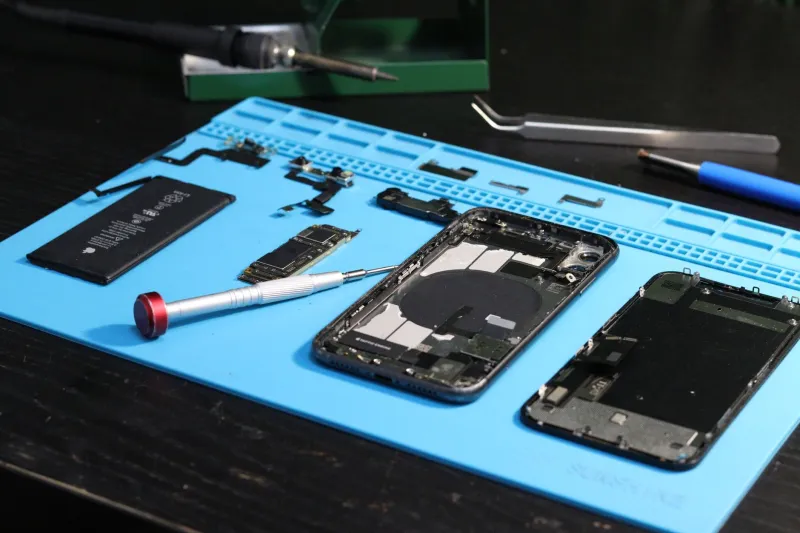
Your screen is cracked. Or your battery is dying by lunchtime. Or the charging port has finally given up the ghost after three years of daily abuse. You want it fixed — obviously. So you book it in, hand it over, and pick it up a few hours later looking good as new.
Except now it won't accept your foreign SIM. Or it's asking for activation again. Or your insurer has sent you a replacement that turns out to be locked to a network you've never even heard of.
This is the repair-to-re-lock pipeline. It happens more often than any repair shop, insurer, or even Apple will voluntarily tell you about — and understanding it could save you a serious headache.
Why Repairs and Unlock Status Are Tangled Together
To understand the problem, you need a basic grasp of how iPhone unlocking works. When a network carrier unlocks your iPhone, that status is registered with Apple. It's tied to the device's IMEI number. In theory, it should be permanent.
In practice, certain repair scenarios can disturb that status — either directly, by triggering Apple's systems to treat the device as a new or replacement unit, or indirectly, through the policies of insurers and repair schemes who issue substitute devices without disclosing their lock status.
The Insurance Replacement Trap
This is probably the most common scenario, and the one that catches the most people off guard.
You've got insurance — maybe through your bank's packaged current account, maybe a standalone mobile policy, maybe your network's own protection plan. Your phone gets damaged or stolen, you make a claim, and they send you a replacement.
Here's what the small print often doesn't shout about: that replacement device may be locked to a specific network. Not necessarily your current network. Sometimes a completely different one.
Insurers source replacement handsets from various suppliers, and those devices don't always arrive with a clean, unlocked status. If you're mid-contract with one carrier, you might not notice immediately. But if you've recently switched, or you travel frequently, or you've deliberately unlocked your device to use dual SIMs — you could find yourself back at square one.
What to do: Before accepting any insurance replacement, specifically ask in writing whether the device is network-unlocked. Request the IMEI so you can verify it independently. If they can't confirm unlocked status, ask them to provide one that is — you're entitled to a device that matches your previous one's specifications.
Apple's Own Repair Process: The Nuances
Apple's official repair and replacement service is generally the safest route, but it's not entirely without quirks.
When Apple replaces a device — rather than just repairing it — the replacement unit comes fresh from their systems. For most UK customers who bought their iPhone directly from Apple or unlocked through their carrier, this shouldn't alter unlock status. Apple registers the replacement against your Apple ID and the unlock status should carry over.
However, if your original device was unlocked through a third-party process, or if there's any ambiguity about the unlock history, the replacement process can occasionally create complications. It's rare, but it happens.
More commonly, Apple repairs involving motherboard replacements can sometimes cause the device to behave as a new unit when it comes to network recognition. If your unlock was carrier-specific and the carrier's records aren't perfectly updated, there can be a temporary mismatch.
What to do: Before any Apple repair that might involve component replacement, note your current IMEI, confirm your unlock status in writing with your carrier, and keep that confirmation. If issues arise post-repair, you have documentation to support a swift resolution.
Independent Repair Shops: The Risk and the Reality
The UK's independent repair sector is brilliant — genuinely. Local shops often do faster, cheaper, and frankly better work than Apple's official service for many common repairs. The Right to Repair legislation the UK has been progressively strengthening makes this sector more viable than ever.
But there are specific scenarios where independent repairs can create unlock complications.
Screen replacements on newer iPhone models (particularly Face ID-equipped devices) sometimes require component pairing via Apple's systems. Some independent shops use grey-market parts that haven't been properly paired, which can trigger Apple's software to flag the device and, in certain cases, restrict functionality in ways that interact badly with network unlock status.
More significantly, if an independent repair shop replaces a logic board — say, after liquid damage — the replacement board may carry a different IMEI. At that point, your original unlock status is entirely irrelevant, because as far as any carrier or Apple is concerned, you have a different device.
What to do: Always ask your repair shop directly whether the repair will involve any component that changes the IMEI or requires Apple system pairing. Get this in writing. If a logic board replacement is on the table, contact your carrier first to understand how they'd handle a re-unlock request.
Your Legal Protections Under UK Consumer Law
Here's the part that repair shops and insurers quietly hope you won't look up.
Under the Consumer Rights Act 2015, any service — including repairs — must be carried out with reasonable care and skill. If a repair leaves your device in a worse functional state than before (and losing your network unlock status absolutely counts as worse), you have grounds to demand a remedy.
For insurance replacements, the Financial Conduct Authority's rules require insurers to treat customers fairly. Providing a locked replacement when your original device was unlocked is arguably a breach of this principle, and you can escalate to the Financial Ombudsman Service if your insurer won't play ball.
Keep records of everything. Screenshots of your unlock status before any repair. Written confirmation from your carrier. Email trails with repair shops. This documentation is your ammunition if things go wrong.
Your Pre-Repair Checklist
Before you hand your iPhone to anyone — Apple, an insurer, or your local repair shop — run through these steps:
- Screenshot your current network unlock status (Settings > General > About, check 'Carrier Lock' — it should read 'No SIM restrictions' if unlocked)
- Note your IMEI (dial *#06# to display it)
- Get written confirmation from your carrier that your device is unlocked
- Ask your repairer directly whether any component being replaced will change the IMEI or require Apple system pairing
- For insurance claims, request confirmation in writing that the replacement device is network-unlocked before accepting it
- Back up your device fully before any repair — both to iCloud and locally via a Mac or PC
The Bottom Line
Repairs shouldn't cost you your freedom. In most cases, they won't. But the exceptions are common enough, and the consequences inconvenient enough, that going in prepared is simply sensible.
Your unlock status is part of what makes your iPhone truly yours. Protect it with the same energy you'd protect any other valuable feature of your device — because once it's gone, getting it back is a bureaucratic slog you really don't want.