Your Old Number's New Owner: The iCloud Security Timebomb Hiding in UK Number Recycling
Your Old Number's New Owner: The iCloud Security Timebomb Hiding in UK Number Recycling
Imagine this. You changed networks two years ago — maybe you left O2 for a better deal on EE, or ditched Vodafone for a SIM-only plan. You got a new number, updated your WhatsApp, told your friends, moved on. Normal stuff.
Now imagine that your old number — the one you barely think about anymore — has been reassigned to someone else. A student in Manchester, perhaps, or a retiree in Cardiff. And that number is still listed as the trusted phone number on your Apple ID. Every time Apple sends a two-factor authentication code to verify your identity, it goes straight to a stranger's inbox.
This isn't a theoretical edge case. It's happening to millions of Brits right now, and most of them have absolutely no idea.
How Number Recycling Works in the UK
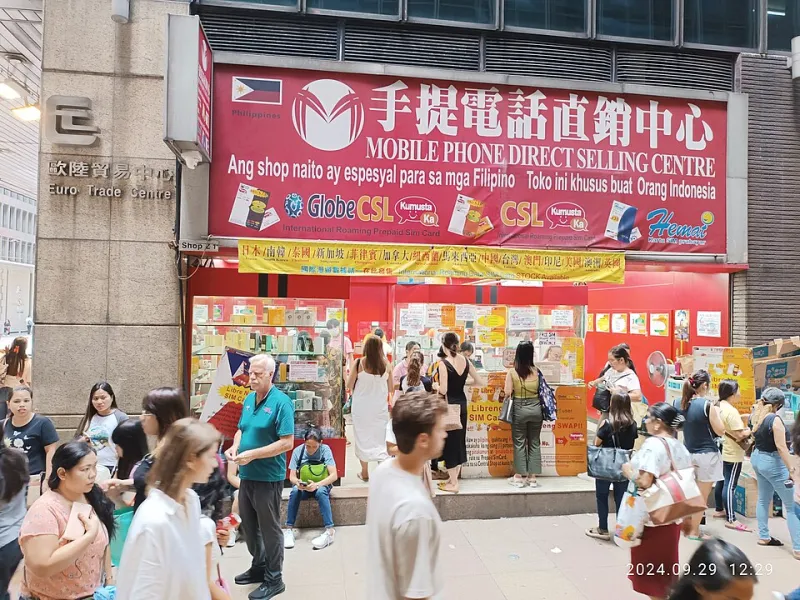
Mobile numbers are a finite resource. Ofcom, the UK's communications regulator, allocates number ranges to networks, and those networks have a responsibility not to hoard them indefinitely. When you leave a contract or close a PAYG account, your old number doesn't disappear — it goes into a quarantine period and is eventually reassigned to a new customer.
The quarantine period varies. Ofcom's guidance suggests numbers should sit dormant for a reasonable period before recycling, but in practice this can be as little as 30 to 90 days, depending on the network and the number range. EE, O2, Vodafone, and Three all recycle numbers. So do the virtual networks that run on top of them — iD Mobile, Tesco Mobile, Sky Mobile, and the rest.
For the vast majority of uses, this is fine. The problem arises specifically when an old number is still tied to an online account — and Apple's authentication system is one of the most vulnerable targets.
Why Apple's SMS Two-Factor Authentication Is the Weak Link
Apple's two-factor authentication (2FA) is supposed to be a security upgrade. When you sign into your Apple ID from a new device or browser, Apple sends a six-digit code to your trusted phone number. Enter the code, access granted. It sounds solid.
But this system has a foundational flaw: it trusts the phone number, not the person holding the phone. If your old number has been recycled and is now sitting in someone else's hand, they receive that code. They don't need your password. They don't need your email address. In some account recovery scenarios, the code alone can be enough to initiate a reset.
Apple is not unique in this vulnerability — Google, Facebook, and countless banking apps have the same exposure. But iCloud is particularly high-stakes because it holds your photos, messages, contacts, documents, health data, and potentially your payment details through Apple Pay.
The Audit You Need to Do Today
The good news is that securing your Apple ID against this risk is entirely within your control. The bad news is that Apple doesn't make it especially obvious. Here's what to do.
Step one: check what number Apple has on file.
Open Settings on your iPhone, tap your name at the top, then Sign-In & Security. You'll see a list of trusted phone numbers. If any of those numbers is one you no longer own or use, remove it immediately. Tap the number, then the minus icon.
Step two: add a number you actually control.
Make sure your current, active number is listed as a trusted number. If you've recently changed networks or numbers, update this straight away — don't wait.
Step three: switch to an authenticator app where possible.
SMS-based codes are the weakest form of 2FA. Apple allows you to use trusted devices rather than phone numbers for authentication, which is significantly more secure. If you sign into your Apple ID on your iPad, Mac, or another iPhone, those devices become trusted authenticators. A code sent to a device you physically hold is far harder to intercept than one sent to a phone number that might belong to a stranger.
For other accounts — banking, email, social media — consider using a dedicated authenticator app like Google Authenticator or Microsoft Authenticator. These generate codes locally on your device rather than relying on SMS delivery.
Step four: audit your account recovery contacts.
Apple offers a Recovery Contact feature, which lets you designate a trusted person — a family member or close friend — who can help you regain access to your Apple ID if you're locked out. Set this up via Settings > [Your Name] > Sign-In & Security > Account Recovery. This is a far more robust fallback than SMS recovery.
What If Someone Has Already Accessed Your Account?
If you suspect your Apple ID has been compromised — perhaps you've noticed unfamiliar devices in your account list, or received password reset emails you didn't request — act immediately.
- Go to appleid.apple.com and sign in.
- Check Devices — remove anything you don't recognise.
- Change your Apple ID password from a trusted device.
- Remove any phone numbers you no longer own.
- Review your Sign-In & Security settings for any changes you didn't make.
If you believe someone has gained access and made changes you can't reverse, contact Apple Support directly. Be prepared to verify your identity through alternative means — this process can be slow, but it exists specifically for situations like this.
The Broader Picture: Who's Responsible?
There's a genuine question here about where responsibility lies. Apple could push users harder to remove old phone numbers when they set up a new device. Networks could extend quarantine periods or notify customers when a number is about to be recycled. Ofcom could mandate clearer standards.
For now, none of that is happening at the scale it should be. Which means the burden falls on you. It's an imperfect situation — you shouldn't have to be a security expert just to own a phone — but the fix is genuinely straightforward once you know the risk exists.
Ten minutes of account housekeeping today could save you from a deeply unpleasant situation further down the line. Your old number is out there somewhere. Make sure it can't follow you home.